

If you use Snapchat often, you have probably noticed a small green circle next to some of your friends’ names. This tiny dot has caused a lot of confusion since it first appeared. Many people think it means someone is spying on them or watching their every move. The truth is much simpler than that.
The green dot is Snapchat’s way of showing that a friend is active on the app right now. It is not a tracking tool. It is not a secret spy feature. It is just a small activity signal, similar to the “online now” icons you see on other messaging apps.
Once you understand how this feature actually works, it becomes a lot less mysterious. In this guide, we will break down everything about the green dot, from what it means to how you can turn it off if you want more privacy.
Quick Answer: Snapchat Green Dot Meaning
In short, the green dot next to a friend’s name means that person has opened the Snapchat app within the last few minutes. It shows they are currently active or were just active a moment ago.
Here is a quick breakdown of what the green dot does and does not tell you:
| What the Green Dot Shows | What It Does NOT Show |
| The friend recently opened the app | Exactly what they are doing |
| They are likely active right now | Whether they read your specific message |
| A general activity status | Their exact location |
| That the app is open on their device | If they are ignoring you on purpose |
So the green dot is really just a light signal of activity, nothing more.
What Is the Snapchat Activity Indicator?
The green dot is officially called the Snapchat activity indicator. It works a lot like the green dots you see on WhatsApp or Facebook Messenger. When a person opens Snapchat and starts using it, the app quietly updates their activity status.
This status is then shared with their friends through a small green circle. It usually appears near the person’s Bitmoji or username in your chat list. The idea behind this feature is simple. Snapchat wants users to know when their friends are around, so they can start a conversation at the right time.
This feature is part of a bigger trend among social apps. Many platforms now show some kind of online status. It helps make messaging feel more real time, rather than like sending a text into the void.
Does the Green Dot Mean Someone Is Online Right Now?
Yes, in most cases. The green dot appears when someone is actively using Snapchat at that exact moment or was using it just a minute or two ago. Once they close the app or stop using it, the dot usually disappears within a short time.
However, it is not a perfect real time tracker. There can be a small delay before the dot updates. So if your friend just closed the app, you might still see the green dot for a little while longer.
Here are a few situations where the green dot might appear:
- The person just opened a snap or story
- They are typing a reply to someone
- They are scrolling through the Discover page
- They just posted a new snap
In all these cases, the app is technically “active,” so the dot lights up.
Where Does the Green Dot Appear on Snapchat?
The green dot shows up in a few specific places inside the app. Knowing where to look can help you understand the feature better.
Common places you will see it include:
- Next to a friend’s name in your chat list
- Beside their Bitmoji icon on the chat screen
- Sometimes near their profile when you open a direct conversation
It does not usually appear on the Snap Map, which is a separate feature that shows location instead of activity. People often confuse the two, but they work differently and serve different purposes.
Does the Green Dot Mean Someone Opened My Chat?
This is one of the most common questions, and the answer is no. The green dot only tells you that a person is active on Snapchat in general. It does not confirm they opened your specific chat or read your message.
If you want to know whether someone actually opened and read your message, you need to check for other signals instead:
- A opened notification under the chat
- The message changing from “Delivered” to “Opened”
- A timestamp showing when they viewed it
So seeing the green dot while waiting for a reply does not mean they are reading your message right now. They could be chatting with someone else entirely.
Does the Green Dot Mean Someone Is Ignoring Me?
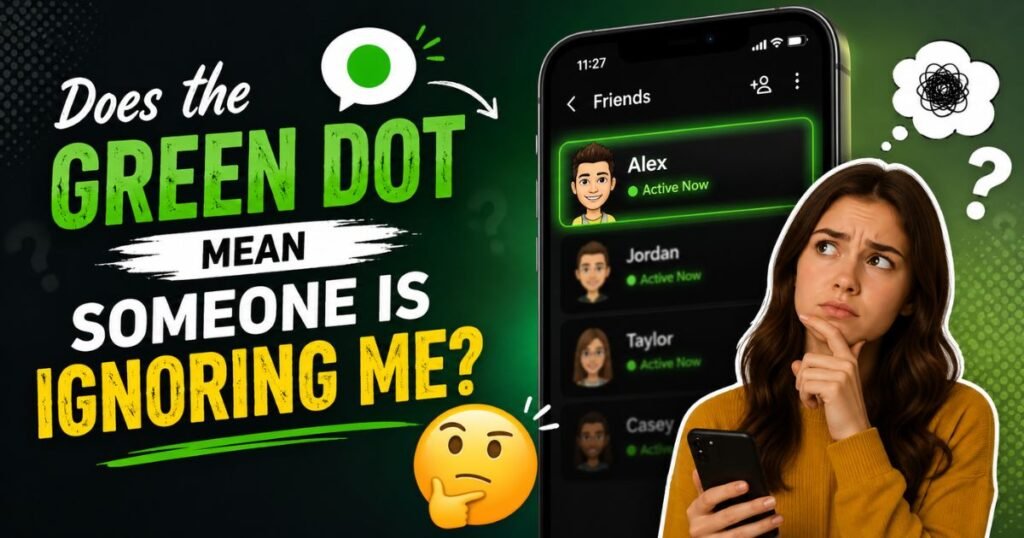
Not really. It is easy to jump to conclusions when you see the green dot but get no reply. But there are many normal reasons for this.
Some possible reasons include:
- They are busy replying to other friends first
- They opened the app for something unrelated, like checking stories
- They plan to reply later but got distracted
- Notifications did not alert them properly
The green dot shows activity, not intention. Try not to read too much into it. People use Snapchat for lots of reasons besides replying to you specifically.
Is the Snapchat Green Dot Accurate?
The green dot is fairly accurate, but it is not perfect. Snapchat updates activity status frequently, but there can be small delays due to network speed, app caching, or device performance.
Here is a simple table showing how reliable the feature generally is:
| Situation | Green Dot Reliability |
| Strong internet connection | High accuracy |
| Weak or slow internet | Slight delay possible |
| App running in background | May still show as active briefly |
| Device just closed the app | Small delay before dot disappears |
So while it gives a good general idea, it should not be treated as a perfect real time tracker.
Why Did Snapchat Add the Green Dot?
Snapchat added this feature to make conversations feel more natural and immediate. The idea is similar to how many messaging apps show online status. It helps users know the best time to send a message if they want a faster reply.
It also encourages more real time interaction, which fits Snapchat’s overall style. The app is built around quick, casual communication, so showing activity status fits well with that goal.
For many users, this feature simply makes chatting more convenient. You know when a friend is likely to see your message right away instead of hours later.
Can You Turn Off the Green Dot on Snapchat?
Yes, you can turn off your own green dot if you prefer more privacy. Snapchat gives users control over this feature through the app settings. Once turned off, your friends will no longer see your activity status.
This is a helpful option for people who value privacy or simply do not want others to know when they are using the app. It is completely optional and easy to adjust anytime.
How to Turn Off the Green Dot on Snapchat
Turning off the green dot only takes a few steps. Here is a simple guide:
- Open the Snapchat app and go to your profile
- Tap the settings icon in the top right corner
- Scroll down to find the “See Me in Quick Add” or privacy related section
- Look for the activity status or “Show My Activity” option
- Turn the toggle off to disable your green dot
Once disabled, your friends will not see when you are active on the app. Keep in mind that this also means you may not see other people’s green dots as clearly, depending on how Snapchat structures its mutual visibility settings.
Should You Turn Off the Snapchat Green Dot?
This really depends on your personal preference. There is no right or wrong answer here. Some people like having their activity visible because it keeps conversations flowing naturally. Others prefer privacy and do not want people to know exactly when they are online.
Reasons you might want to turn it off:
- You value privacy
- You do not want pressure to reply immediately
- You want to avoid unwanted attention from certain contacts
Reasons you might want to keep it on:
- You like quick, real time conversations
- Your close friends use it to know when to chat
- You do not mind others knowing your activity
Think about how you use the app and choose what feels right for you.
Does Everyone See My Green Dot?
Not necessarily. Your green dot visibility can depend on your friendship settings and privacy preferences. Generally, only people you are friends with on Snapchat will be able to see your activity indicator.
If someone is not your friend, they usually cannot see this detail. This adds a layer of privacy, since strangers or random users cannot track your activity unless you have accepted their friend request.
Why Can’t I See the Green Dot on Someone’s Snapchat?
There are several reasons the green dot might not show up for a specific friend. This confuses a lot of users, but the explanation is usually simple.
Common reasons include:
- The person has turned off their activity status
- They are not currently active on the app
- Your app needs to be updated to the latest version
- A temporary bug or loading issue on Snapchat’s side
If this keeps happening, try restarting the app or checking for updates.
Green Dot vs Snap chat Chat Icons

Snapchat has many small icons and symbols that can be confusing at first. The green dot is just one of many indicators used across the app.
| Icon or Symbol | What It Means |
| Green dot | Friend is currently active |
| Solid red arrow | You sent a snap |
| Solid blue arrow | You sent a chat message |
| Solid red square | You received a delivered snap |
| Solid blue square | You received a delivered chat |
| Opened outlines | Message has been viewed |
Understanding these icons together gives you a much clearer picture of what is happening in your conversations.
Green Dot vs Bitmoji on Snap Map
People often mix up the green dot with Snap Map activity, but these are two completely different features. The green dot is about general app activity, while Snap Map shows a person’s actual location if they have chosen to share it.
Key differences:
- The green dot shows if someone is active on the app
- Snap Map shows where a person physically is
- Green dot works in chats, Snap Map works on the map screen
- Location sharing on Snap Map is a separate privacy setting
Knowing this difference helps avoid confusion about privacy and tracking.
Does the Green Dot Mean Someone Is on Snapchat Plus?
No, the green dot has nothing to do with Snapchat Plus, which is the app’s paid subscription service. Snapchat Plus offers extra features like special badges, exclusive tools, and customization options, but the green dot activity indicator is available to all users regardless of subscription status.
Some people confuse this because Snapchat Plus offers a few advanced insights, like who viewed your story the most. But the basic green dot feature is a standard part of the free app experience.
Why Is There a Green Dot Next to Someone I Don’t Know?
If you see a green dot next to a name you do not recognize, it usually means that person recently added you or has some level of visibility into your account activity. This can happen if you accept a friend request without noticing the name clearly.
Also Read This: Lended vs Lent
It is a good idea to review your friend list occasionally. This helps you stay aware of who can see your activity status and keeps your account more secure.
Does the Green Dot Mean Someone Viewed My Story?
No, the green dot is not connected to story views. Story views are tracked separately and shown through a dedicated viewer list under each story. The green dot only reflects general app activity, not specific actions like viewing your story.
If you want to know who viewed your story, check the story viewers list directly instead of relying on the green dot.
Does the Green Dot Mean Someone Is Typing?

No, typing indicators are a separate feature on Snapchat. When someone is typing a reply, you will usually see a specific typing animation or indicator within the chat screen itself. The green dot simply shows general activity, not the specific action of typing a message.
Both features can appear at the same time, but they mean different things and serve different purposes.
Is the Green Dot Bad?
The green dot itself is not a bad feature. It is simply a way to show activity, similar to features found on many other apps. Whether it feels helpful or annoying really depends on personal preference and how much visibility you want to share with your friends.
For casual users, it often makes cheating easier and more spontaneous. For privacy focused users, it might feel like an unnecessary reveal of personal habits. Neither viewpoint is wrong, it simply comes down to what feels comfortable for you.
Privacy Concerns About the Snapchat Green Dot
Some users worry that the green dot reveals too much personal information. While it is a fairly harmless feature overall, there are a few valid privacy points worth considering.
Privacy concerns include:
- It can reveal your daily app usage patterns
- Frequent activity might attract unwanted messages
- Some people feel pressured to reply quickly once seen online
- It may unintentionally expose habits like late night phone use
Fortunately, Snapchat gives users full control to disable this feature, which helps address most of these concerns.
What Parents Should Know About the Green Dot on Snapchat
Parents often want to understand these features to help keep their children safe online. The green dot itself is not dangerous, but understanding how it works can help parents guide healthy app usage.
Helpful tips for parents:
- Explain that the green dot only shows activity, not exact actions
- Talk about the importance of only adding people they know
- Encourage children to review their friend list regularly
- Consider discussing privacy settings together as a family
Open communication about these small features can support safer and smarter app usage overall.
What Teens Should Know About the Green Dot
For teens using Snapchat, understanding this feature can help avoid unnecessary stress or misunderstandings. It is helpful to remember that the green dot does not always mean someone is ignoring you, nor does it reveal exactly what they are doing.
Quick tips for teens:
- Do not overthink the green dot if a friend does not reply right away
- Use the privacy settings if you prefer to keep your activity private
- Remember it is just a small feature, not a big deal
- Focus on genuine conversations rather than tracking online status
Understanding these small details can lead to a more relaxed and enjoyable experience on the app.
Final Thoughts
The green dot on Snapchat is a simple activity indicator, nothing more mysterious than that. It shows when a friend is likely active on the app, helping conversations feel more natural and real time. While it can raise a few privacy questions, Snapchat gives users full control to turn it off whenever they want.
Understanding how this feature works can help reduce unnecessary worry or confusion. Whether you choose to keep your green dot visible or turn it off completely, the choice is entirely up to your personal comfort and privacy preferences. At the end of the day, it is just one small piece of a much bigger app experience.

Mubeen is a passionate writer who shares simple and practical English grammar, vocabulary, and writing tips at ScoopVisly.